

Helping restaurant-smart operators become corporate-smart
Turn financial reports into actionable insights to guide better financial decisions. Make it easy for operators to cultivate financial acumen.
2023-Current
Client
Compass Group USA
“With S/4, we could use the time saved building associate & guest relations, marketing to increase revenue and mentoring associates to the next level.”
– Eurest District Manager
Projects Delivered

DAILY SALES ENTRY
Consolidating multiple applications into one
Unit managers used to spend a lot of time on multiple applications entering sales, track register status, and assigning new shifts and cashiers.
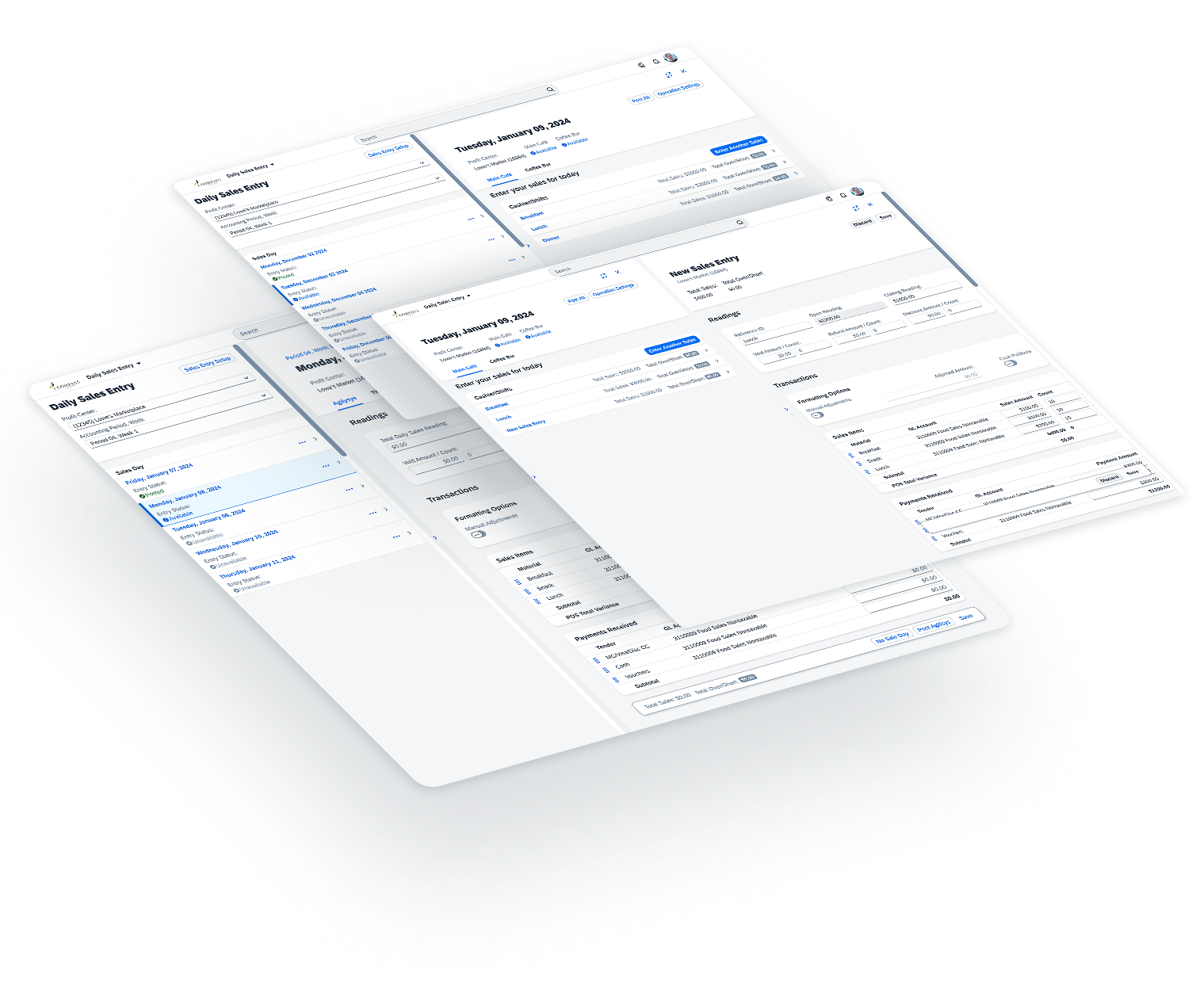
The time required to report point-of-sales data into S/4 highlighted an opportunity to consolidate multiple applications. This would allow unit managers to enter sales, track registers, and manage cashiers and shifts in their profit centers.
Multi-faceted Solution
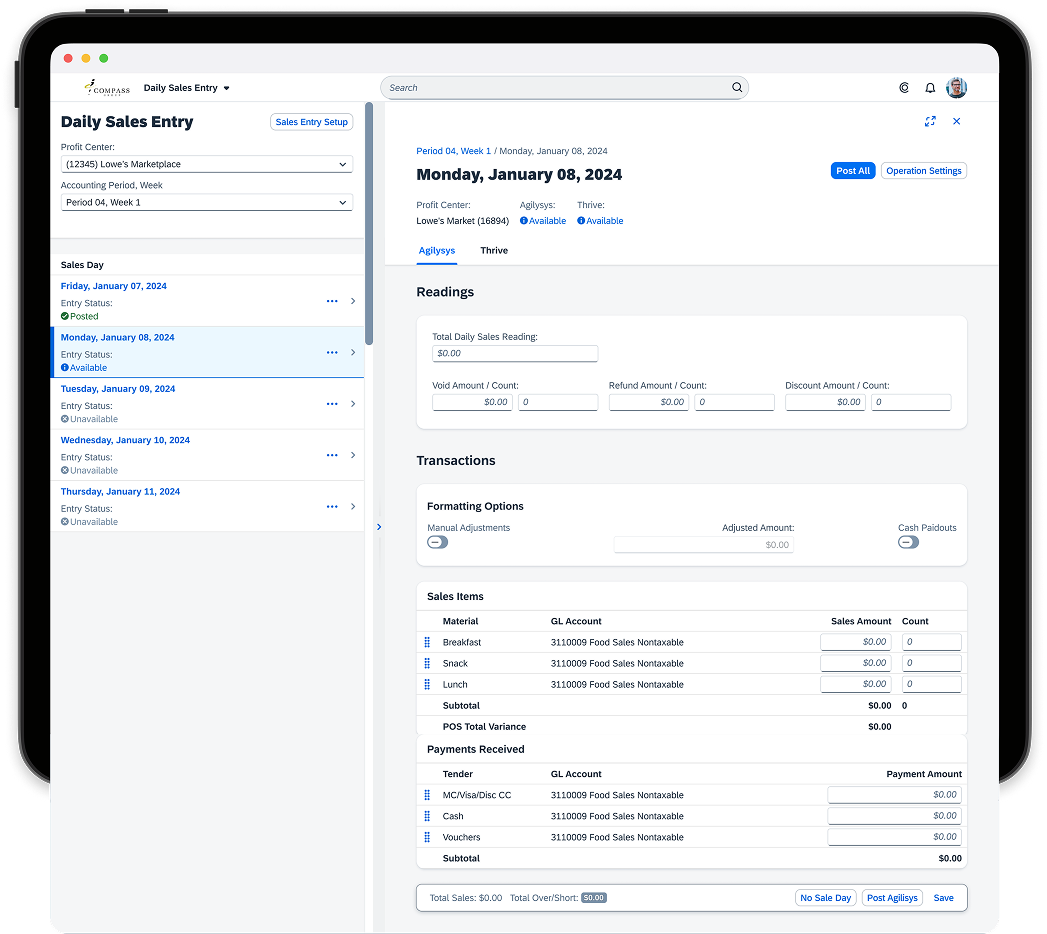
By consolidating sales reporting, registration, transaction corrections, cashier tracking, and shift management into a single, integrated system, the Unit Manager can now access all critical sales information more efficiently, eliminating the need to navigate multiple applications.
Status Indicators Alerting users of object status to
drive awareness and efficiency
Critical Sales Information Helping operators make informed decisions and easily track entry data
Clear, Accessible Actions Supporting quick, intuitive decisions for task completion
Modular Forms Enabling operators to enter sales
based on how they run their unit
Flexible Column Layout For quick edits and
ease of navigation
FINANCIAL OPERATIONS MANAGEMENT
Encouraging good financial practices within reporting
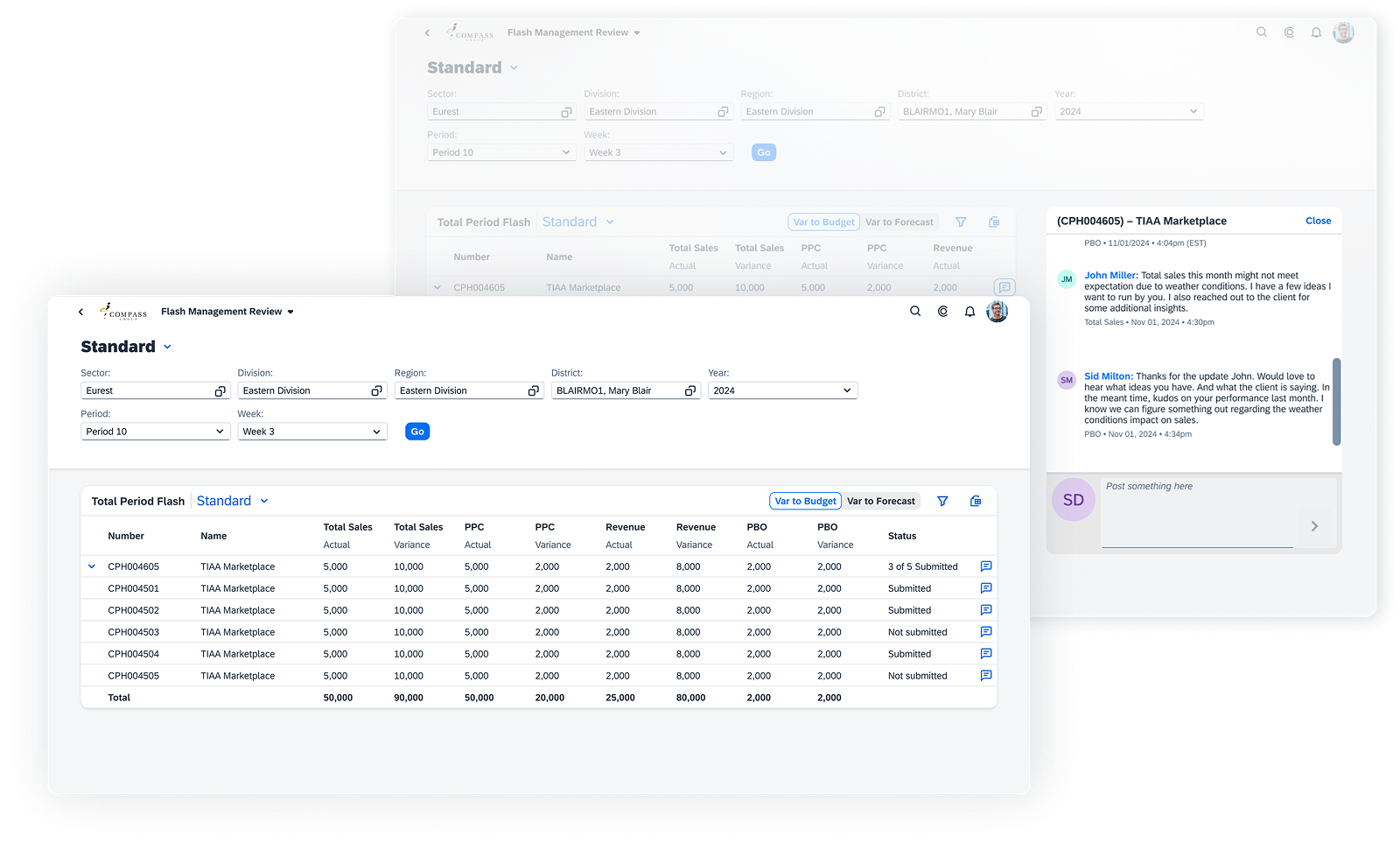
In the past, there was no system to resolve variances, track issues, or enable real-time communication and reporting, making it time-consuming to retrieve static data. The focus and attention was also on low-performing units, overlooking high performers and their best financial practices.

Asynchronous Collaboration
Enabling two-way communication
To encourage management and unit operators to communicate and respond to forecasts and budget variances, we pushed to introduce a modal to enable users to leave comments within S/4 instead of placing calls.
Designing for Work Cultural Change
Build Awareness
Help management quickly identify variances in budget or forecast, allowing them to provide guidance and recommendations
Design for Problem-Solving
Offer recommendations and guidance through comments, support asynchronous discussions, and track measurable progress across multiple units over time
Promote Recognition
Showcase top performance trends, highlight top performers, celebrate quick resolution turnarounds, and show best practices

SALES INVOICING
The Operator Journey
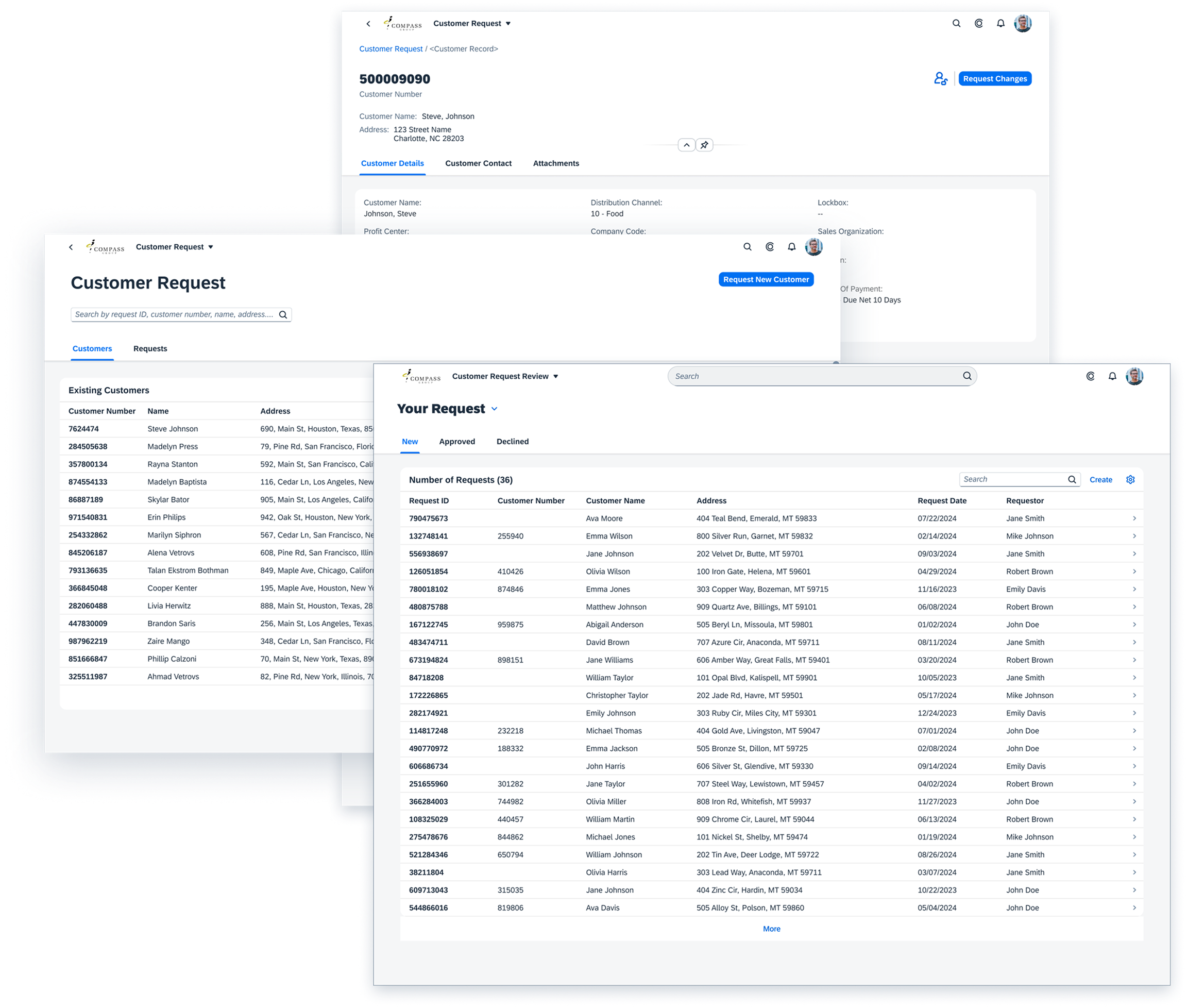
Billing teams processed high invoice volumes using workflows that were slow, error‑prone, and difficult to audit.
Billing Lifecycle
- Prepare revenue
- Monitor and Manage incoming orders
- Maintain accurate billings
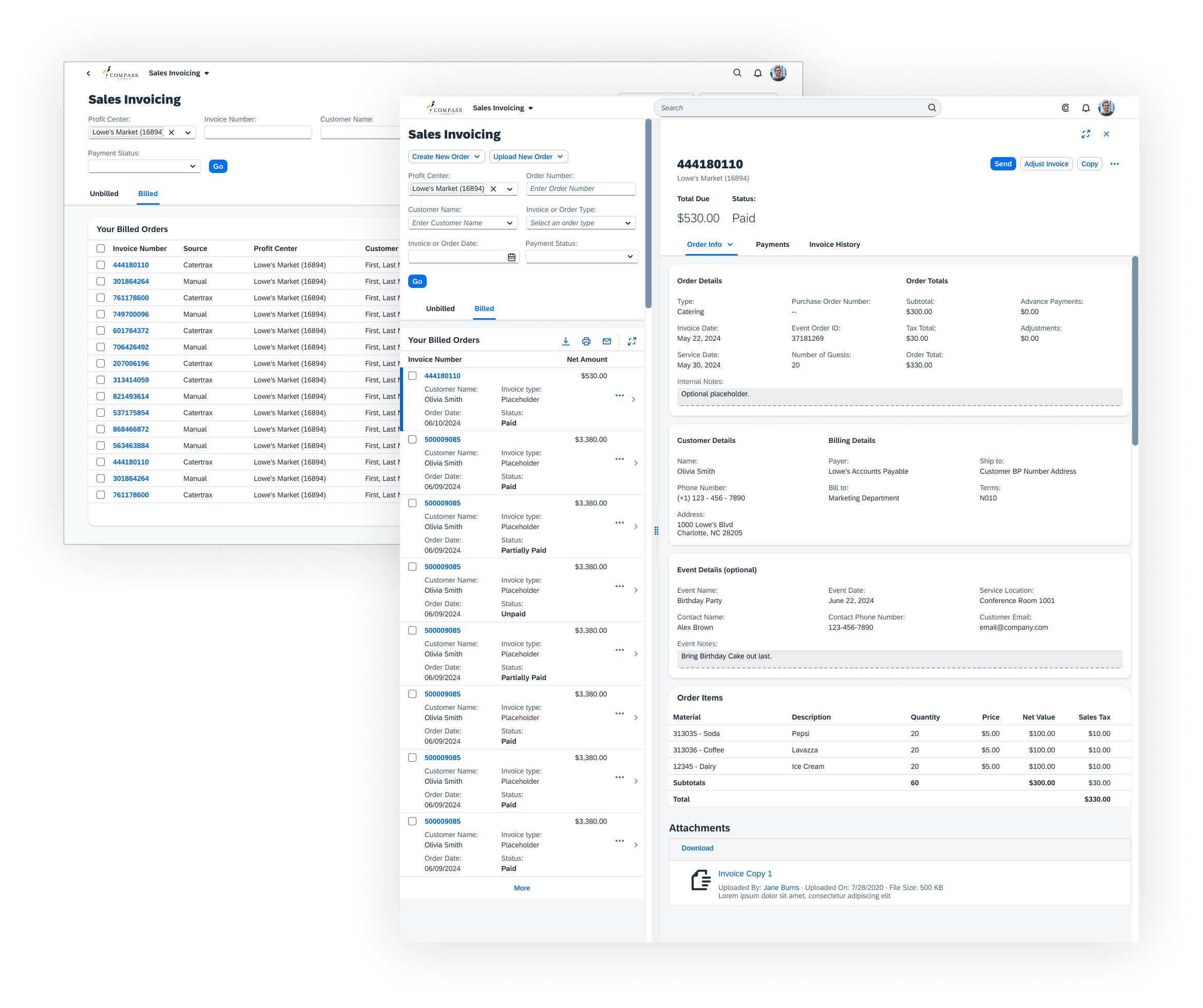
Operators begin by creating invoices across all order types, often in high volume.
USER OUTCOMES
- Operators can move fast without second‑guessing
- Confidence that “starting work” ≠ “posting revenue”
- Fewer interruptions from avoidable validation errors
BUSINESS OUTCOMES
- Reduces rework caused by premature or invalid invoices
- Keeps Finance out of early‑stage cleanup
- Increases throughput before billing cycles even begin


Validate, Batch, and Commit at Scale
What the operator is trying to do
Turn ready work into posted revenue—often hundreds of invoices at once—without losing control.
Available actions
Preview · Edit · Void · Bill · Mass Billing · Bill & Send
USER OUTCOMES
- Operators understand exactly what will happen before committing
- One bad invoice doesn’t derail an entire billing run
- Mass billing feels safe instead of stressful
BUSINESS OUTCOMES
- Faster billing cycles with fewer failed batches
- Lower operational risk during high‑volume periods
- More predictable revenue posting and downstream reporting

Support, Reconcile, and Resolve
What the operator is trying to do
Answer questions, fix non‑financial issues, and understand what already happened—without breaking audit rules.
Available actions
Send · Copy · Edit PO · Edit Address · Payment History · Invoice History
BUSINESS OUTCOMES
- Preserves audit integrity and segregation of duties
- Reduces support tickets and Finance escalations
- Improves trust in system‑of‑record data
USER OUTCOMES
- Operators know why something can’t be edited
- Faster response to customer and internal inquiries
- Less reliance on Finance for basic investigation